PIKOTO

The pocket FM groovebox

A four-operator FM synth and a four-track step sequencer for iPhone and iPad, drawn like a handheld game cartridge. Sixty-two sounds to start from, and a song already playing when you open it.

Free to try · one-time unlock $14.99 · no subscription, no ads

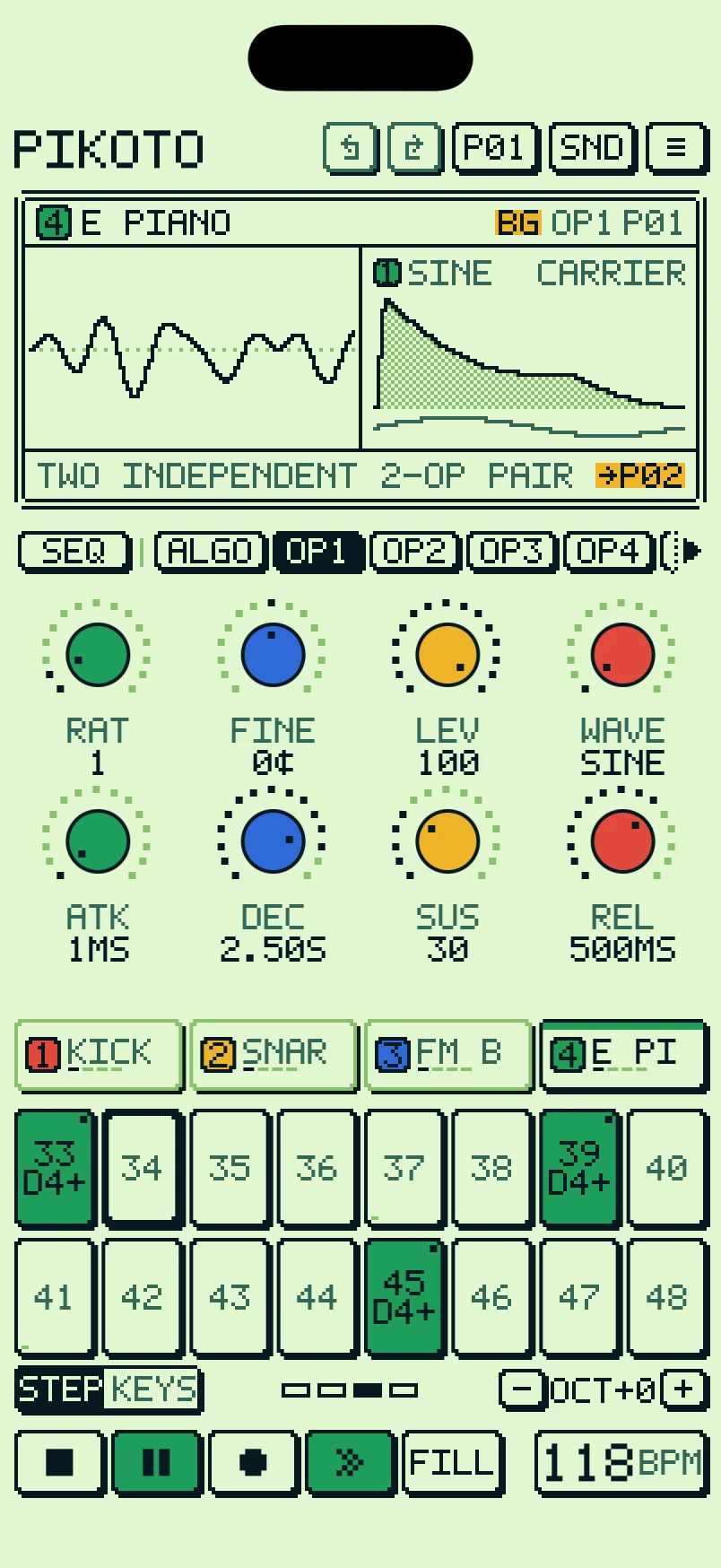
PIKOTO on iPhone playing the demo song: the scope, eight coloured encoders on the OP1 page, four tracks and sixteen step pads.

Hear it

Every sound in this video is PIKOTO playing its demo song.

One screen. Eight knobs.

Pick a page and the eight encoders edit it. The screen always shows what you're turning: a scope of the track and a diagram of the page.

Four operators, eight algorithms

Each voice is four operators with six waveforms, stepped ratios from 0.25 to 32, fine tune, level and an envelope each. The diagram shows which operators you hear and which ones bend them.

  • Ratio modes FREE, HARM, ODD and OCT keep it musical
  • A pitch drop and a click for FM drums
  • Ten chord types from a single note
  • Poly, mono, legato with glide, and unison
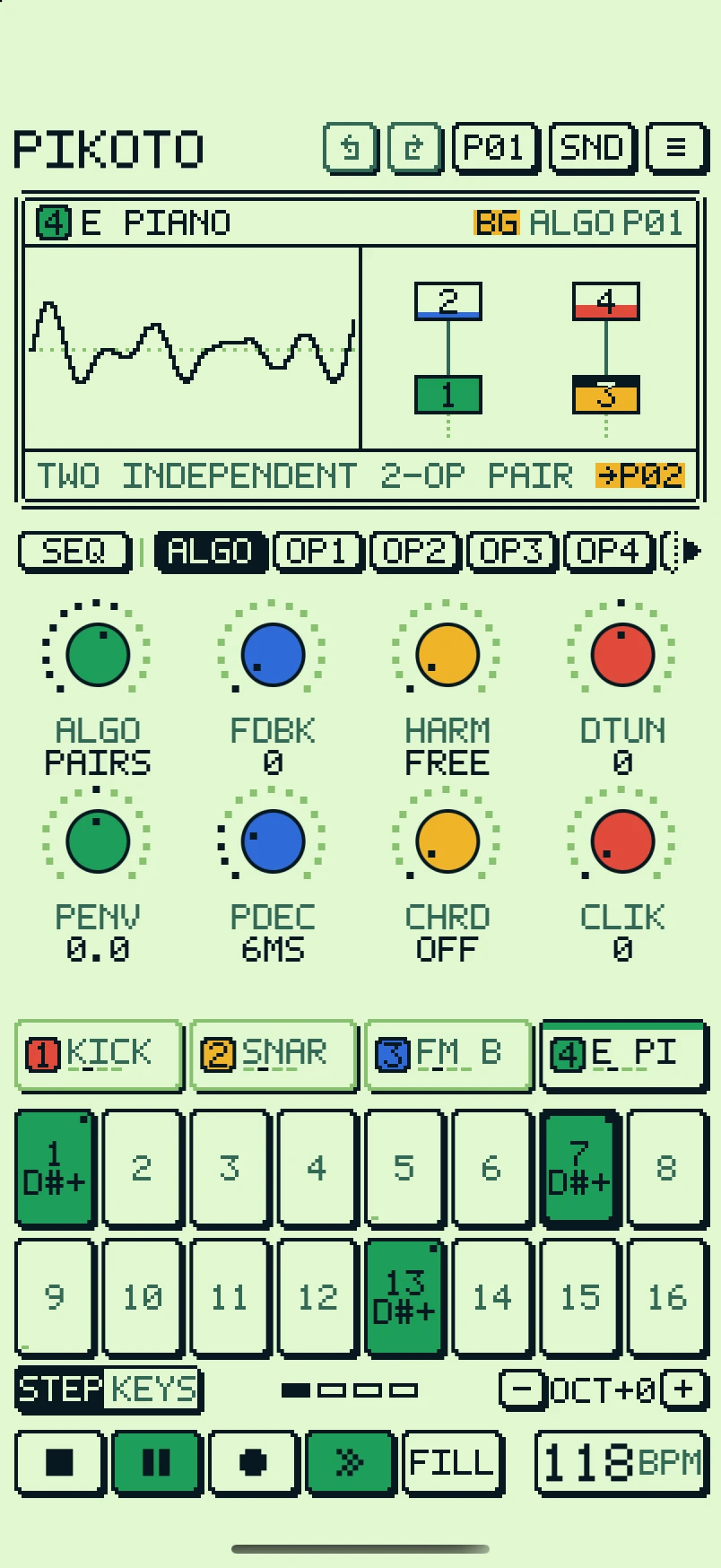
The ALGO page: an operator diagram with operators 2 and 4 modulating 1 and 3.

Shape it, then set it moving

A multimode filter with its own envelope, then modulation on every track: two LFOs and SLOPE, a modulator that runs as a looping ramp or an envelope. Route each one to pitch or to any of 64 sound parameters.

  • Low-pass, band-pass, high-pass and notch
  • SLOPE shape, skew and smoothness, synced to the tempo
  • Delay, reverb with shimmer, and a granular cloud
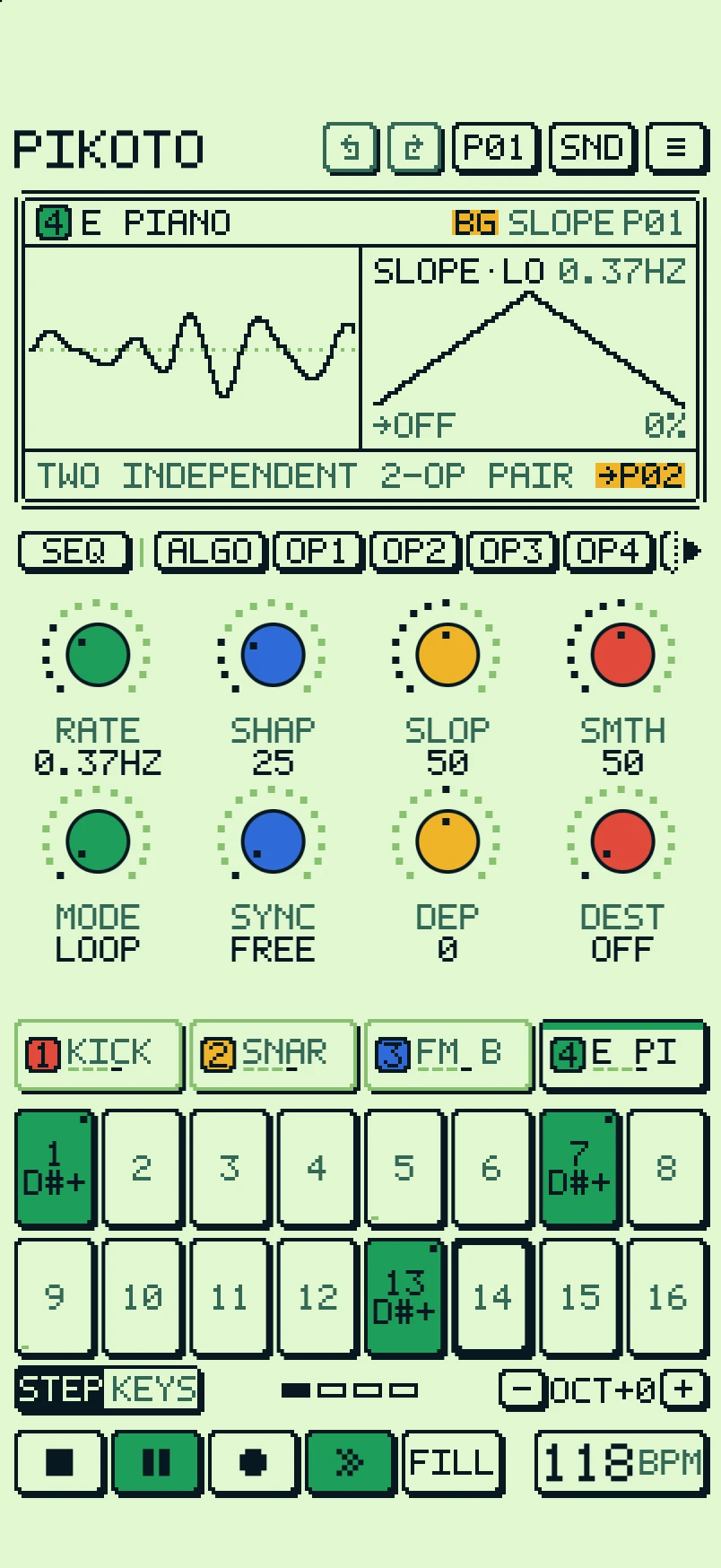
The SLOPE page: a triangle ramp on the screen and encoders for rate, shape, slope and smoothness.

A sequencer that goes deep

Four tracks of up to 64 steps, each with its own length and speed. Hold a step and every knob locks a value to it. Record live, and chain sixteen patterns into a song.

  • Parameter locks and per-step sound locks
  • Trig conditions, ratchets and micro-timing
  • Swing, fills and polymeter
  • Undo and redo, or shake to undo
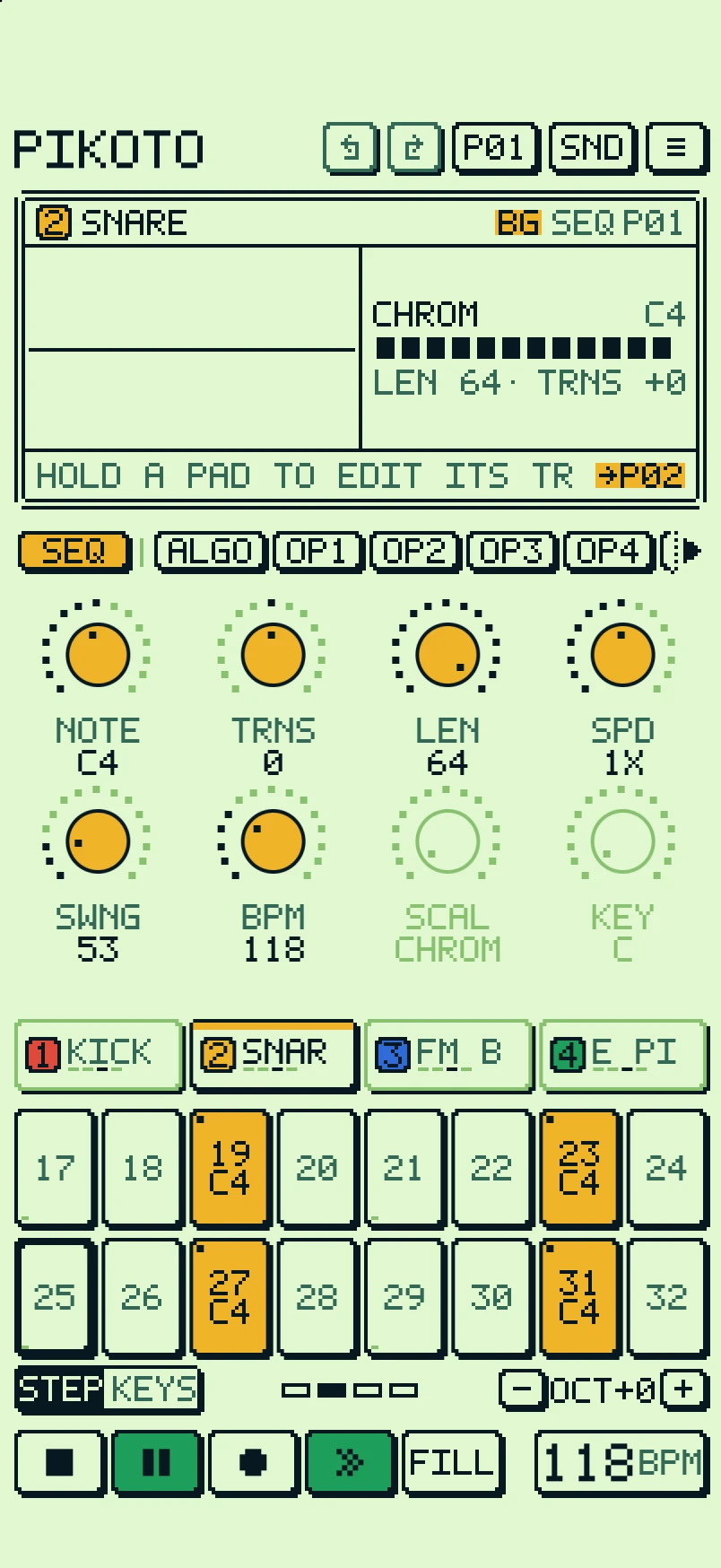
The SEQ page on the snare track: length, speed, swing, tempo and scale, with the snare's trigs lit on the pads.

Play it like keys

Flip the sixteen pads into a keyboard, or into the notes of any of fifteen scales in any key, so every pad is a right note. Touch near the top of a pad to play softer.

  • An arpeggiator on every track: up, down, random or as played
  • Latch, or build a chord a tap at a time
  • It plays sequencer chords too
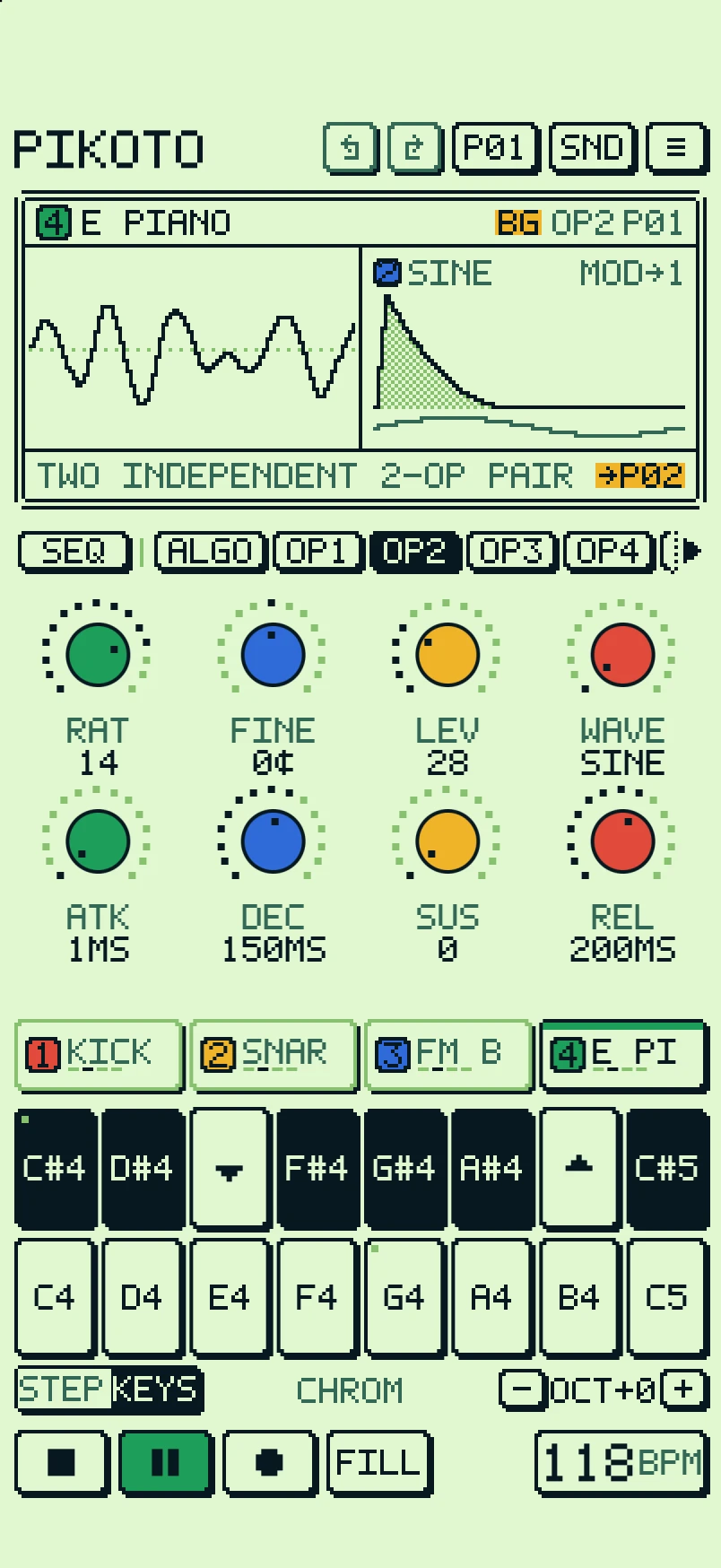
KEYS mode: the pads as a keyboard with black keys on top and octave keys in the gaps.

Sixteen punch-in effects

Hold a pad to bend the music, let go to snap back. Hold several at once. Play them on the whole mix or on one track, and record them into the pattern.

  • Repeat, roll, half speed, double speed, reverse, random
  • Low-pass, high-pass, octave down and up
  • Delay, reverb, cut and brake
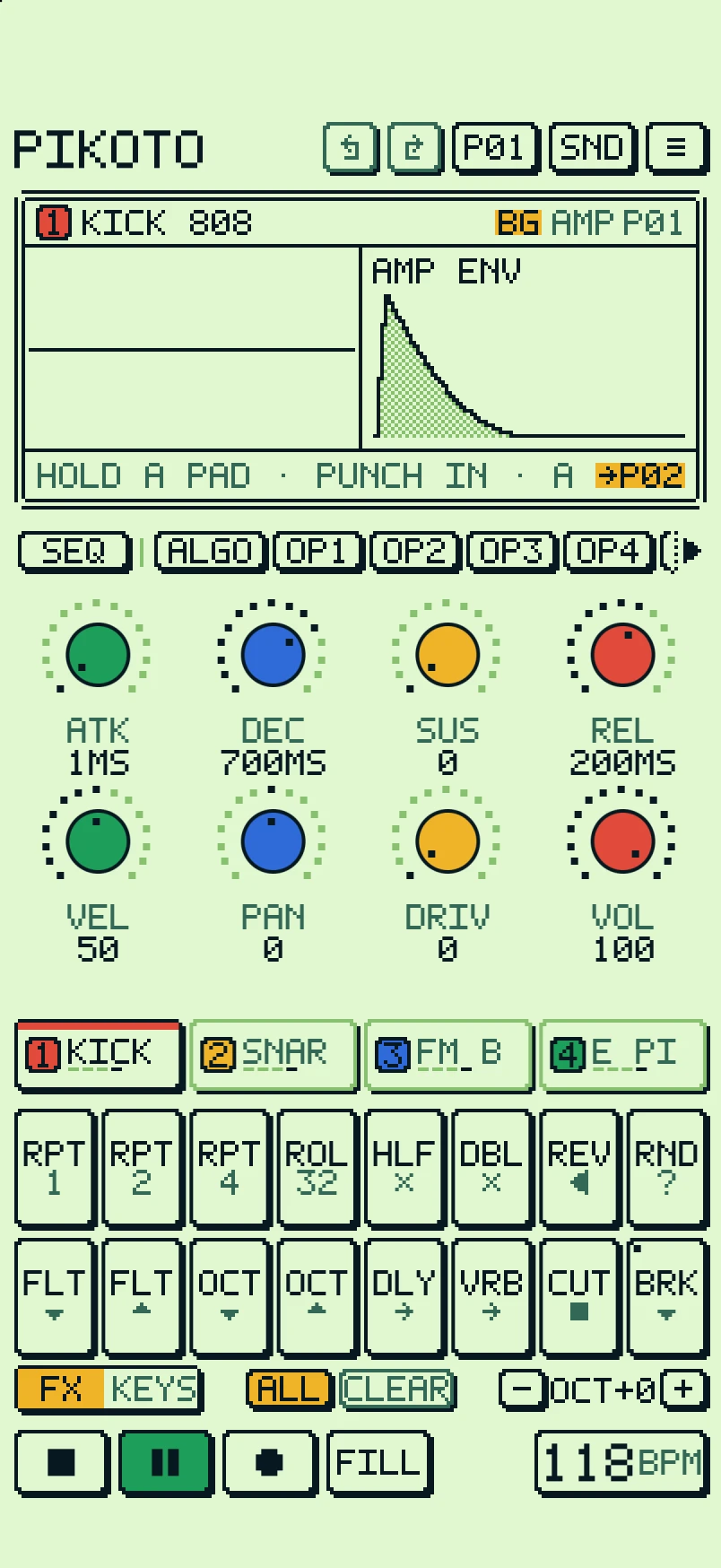
FX mode: sixteen pads labelled with punch-in effects like RPT, ROLL, REV and BRK.

Learn it in a minute

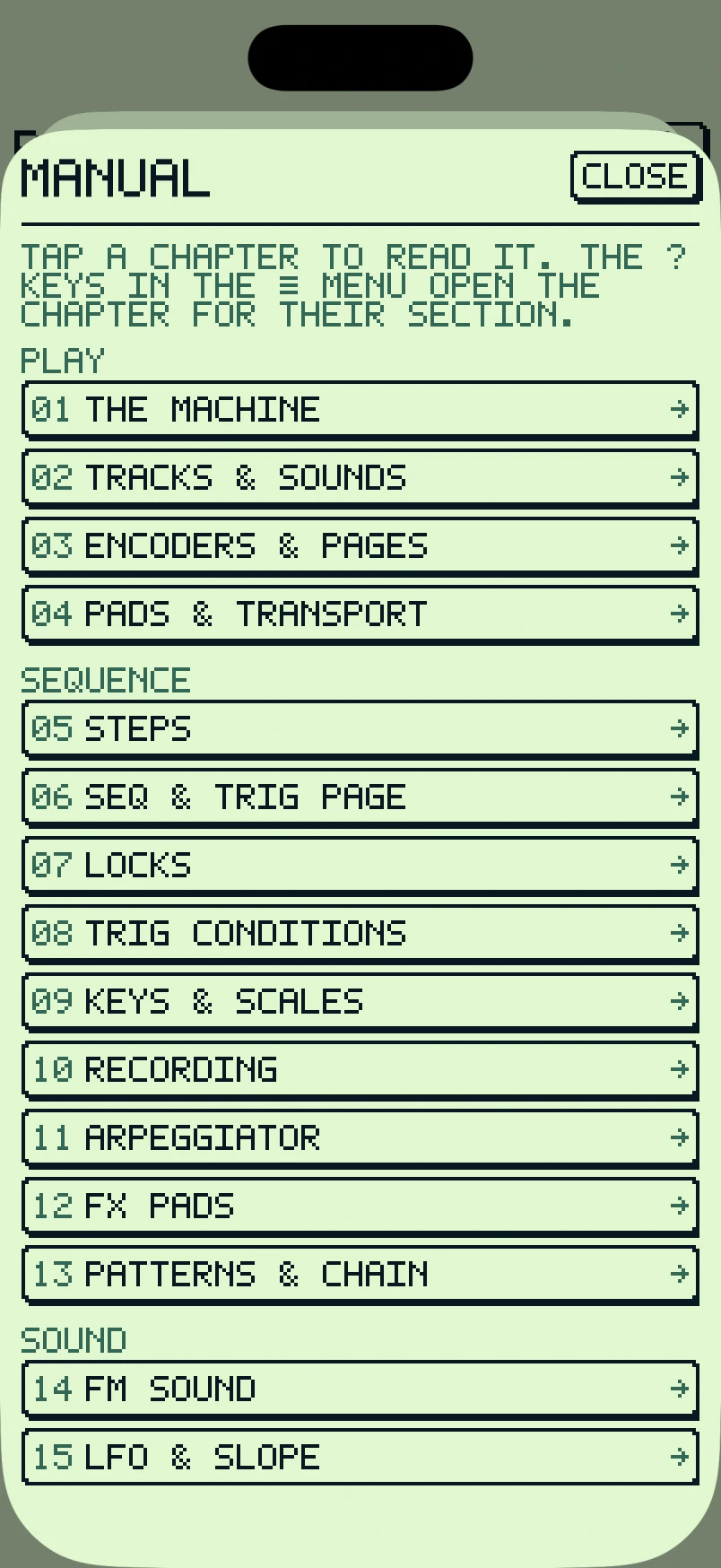
A short guided tour on first launch shows you the machine. After that, the manual is one tap away in the ≡ menu, and the bottom line of the screen tells you what you're touching.

The built-in manual: chapters from THE MACHINE to LFO AND SLOPE.

Four palettes

Four tones and a hand-drawn 5x7 font, everything on a pixel grid. Pick a palette in the app. Pick one here and this page follows.

What's inside

Sound

  • 4 operators, 8 algorithms, 6 waveforms
  • Feedback, pitch sweep, click
  • Filter with its own envelope
  • 2 LFOs and SLOPE per track
  • 16 voices
  • 62 factory sounds

Sequencer

  • 4 tracks × up to 64 steps
  • Parameter and sound locks
  • Conditions, ratchets, micro-timing
  • Live recording
  • 16 patterns, chain and fill
  • Arpeggiator and 15 scales

Effects

  • Tempo-synced ping-pong delay
  • Reverb with shimmer
  • Granular cloud
  • Master drive, compressor, width, bit-crush
  • 16 punch-in FX pads

Connect

  • MIDI in, out and clock over USB and Bluetooth
  • Audio Unit for AUM, Logic, GarageBand and more
  • Export 24-bit WAV, mixed or one file per track
  • Plays on in the background
  • iPhone and iPad, iOS 17 or later

Free to play. Pay once to keep.

The free app is the whole instrument. One purchase, yours to keep, adds the rest. No subscription, no ads, no timer.

Free

Download and play

  • Every page, parameter and factory sound
  • The sequencer, arp, FX pads and MIDI
  • One project that autosaves: the demo, or your own song in its place
  • All four palettes

Unlock

$14.99 once · Family Sharing

  • As many projects as you like
  • Save your own sounds
  • Export patterns and songs as WAV, mixed or one file per track
  • The Audio Unit, inside AUM, Logic, GarageBand and other hosts

Prices in US dollars. The App Store shows yours in your currency.

Questions

Which devices does it run on?
iPhone and iPad with iOS 17 or later. On iPhone it runs in portrait; on iPad, either way up.
Is it a subscription?
No. PIKOTO is free to download, and one purchase unlocks the rest for good. Refunds and Family Sharing are handled by Apple.
Do I need to know FM synthesis?
No. Start from the factory sounds and turn knobs. The tour and the manual explain what the operators do when you're curious.
Does it work with my MIDI gear?
Yes. USB and Bluetooth MIDI in and out, with clock in and out. Channels 1 to 4 play tracks 1 to 4.
Can I use it in AUM or Logic?
Yes, as an Audio Unit instrument, with the unlock. The host's tempo and transport drive the sequencer.
What happens to my songs if I don't buy?
Nothing is ever deleted or hidden. The free app keeps one project that autosaves, and the unlock exports it whenever you're ready.